> For the complete documentation index, see [llms.txt](https://docs.rootdata.com/llms.txt). Markdown versions of documentation pages are available by appending `.md` to page URLs; this page is available as [Markdown](https://docs.rootdata.com/playbook/calendar.md).
# RootData Crypto Calendar
**Calendar Portal**
* Click to visit: [RootData Crypto Calendar](https://www.rootdata.com/calendar)
## **Calendar Features**
The RootData Crypto Calendar integrates key events from across the industry, while also tracking macroeconomic developments that influence market trends, providing you with a one-stop solution to grasp crucial milestones and market-moving factors.
* **Event Aggregation:** Token unlocks, exchange updates, scheduled token launches, incentive campaigns, presale events, and more.
* **Reminder Settings:** Personalized alerts for important events.
* **Cross-Platform Sync:** Accessible via both web and mobile devices.
## **Quick Feature Guide**
### **1. Quick Date Selection**
RootData Calendar allows you to flexibly view event distributions across different future periods, helping you formulate targeted monitoring strategies.
Above the calendar is a **Date Bar** indicating the currently displayed time range. For example, as shown in the diagram below, events from December 15 to December 21 are currently displayed. You can use the left and right arrows on both sides to quickly navigate to desired time periods, or click on a specific date to view events for that day.
Additionally, by using the **"Date ▼"** filter dropdown menu, you can flexibly switch between different time spans, enabling seamless transitions from short‑term tactical execution to long‑term strategic planning. This helps users quickly focus on upcoming events, prepare for mid‑term milestones in advance, or gain a comprehensive overview of industry trends—ensuring you stay ahead with timely information.
### 2. **Filter Event Types**
Click **"All Types▼"** to select specific event categories from the dropdown menu and filter the calendar accordingly.
#### **Supported Event Categories**
* **Mainnet Launch / Testnet Launch**: Core network activation and testing phases of projects.
* **Scheduled Token Launch**: Upcoming token issuance events with announced timelines.
* **Token Activities**: Other token-related events besides unlocks (e.g., buybacks, burns).
* **Key Events**: Major milestones that impact the market or specific projects.
* **Exchange Updates**: Listing announcements, rule changes, etc., on centralized/decentralized exchanges.
* **Recent Token Launches**: Projects that have recently completed token issuance.
* **Fundraising / Revenue Reports**: Project financing, investment rounds, and revenue disclosures.
* **Conferences & Events**: Industry summits, online AMAs, hackathons, etc.
* **Security Incidents**: Alerts for protocol attacks, exploit incidents, and other security breaches.
* **Recent Airdrop Projects**: Events related to projects offering potential airdrop opportunities.
* **Recent Shutdowns**: Warnings about project closures or service terminations.
* **Others**: Industry developments not covered by the above categories.
### 3. **Share Calendar**
We have enabled a sharing feature for each individual calendar event. Users can click the share button to generate a shareable link or directly forward the event to other platforms ( **𝕏**, Facebook, Telegram).
#### **Add to Calendar**
Click the "calendar icon" on the right side of the event to add it to your local calendar.
**For Mac OS**
After clicking the "calendar icon," a download window will appear. Click "Allow" to proceed with the download.
Once the download is complete, locate the downloaded file.
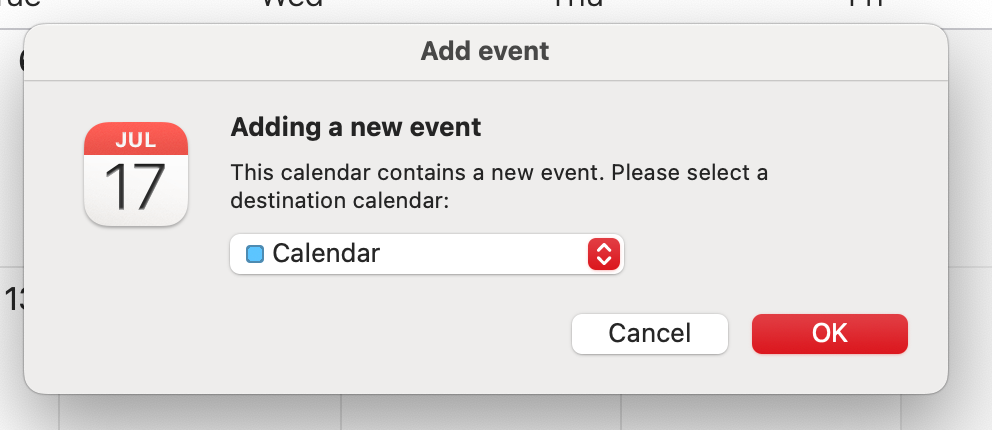
Open the file and click "OK" to add the event to your local calendar.
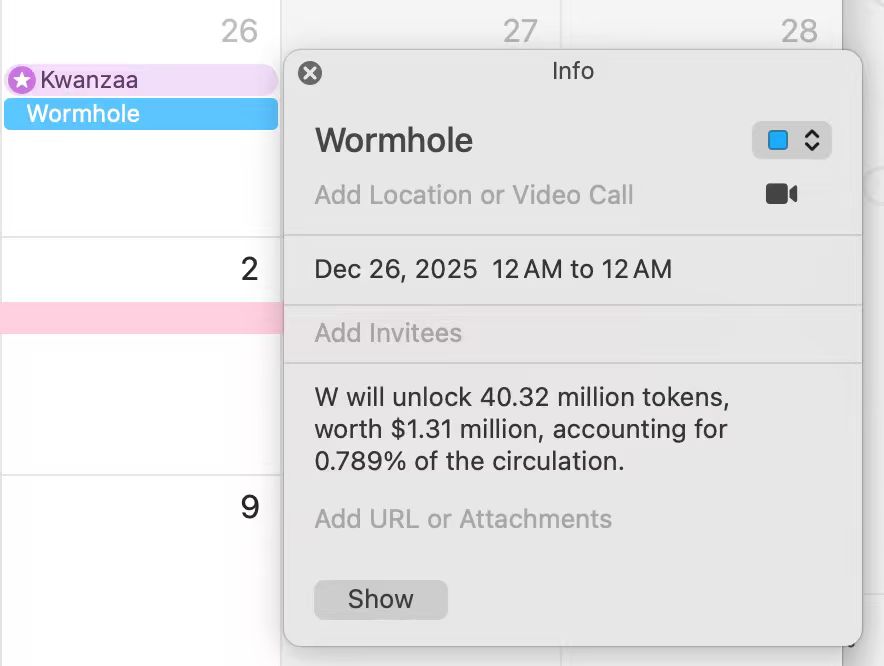
Once added, you can view the event in your local calendar.
**For Windows**
Click the "Calendar Button" to start downloading the file.
Open the file and follow the prompts to add the event to your local calendar or another calendar.
.png?alt=media)
.png?alt=media)
.png?alt=media)
.png?alt=media)
.png?alt=media)